How to Download Zapo
Zapo is currently in an exclusive release phase. Follow the 3 simple steps below to get access and download the applications.
1
Join the Google Group
To unlock access to the apps on the Google Play Store, you first need to be a part of our testing community.
👉 Click here to open the Google Group2
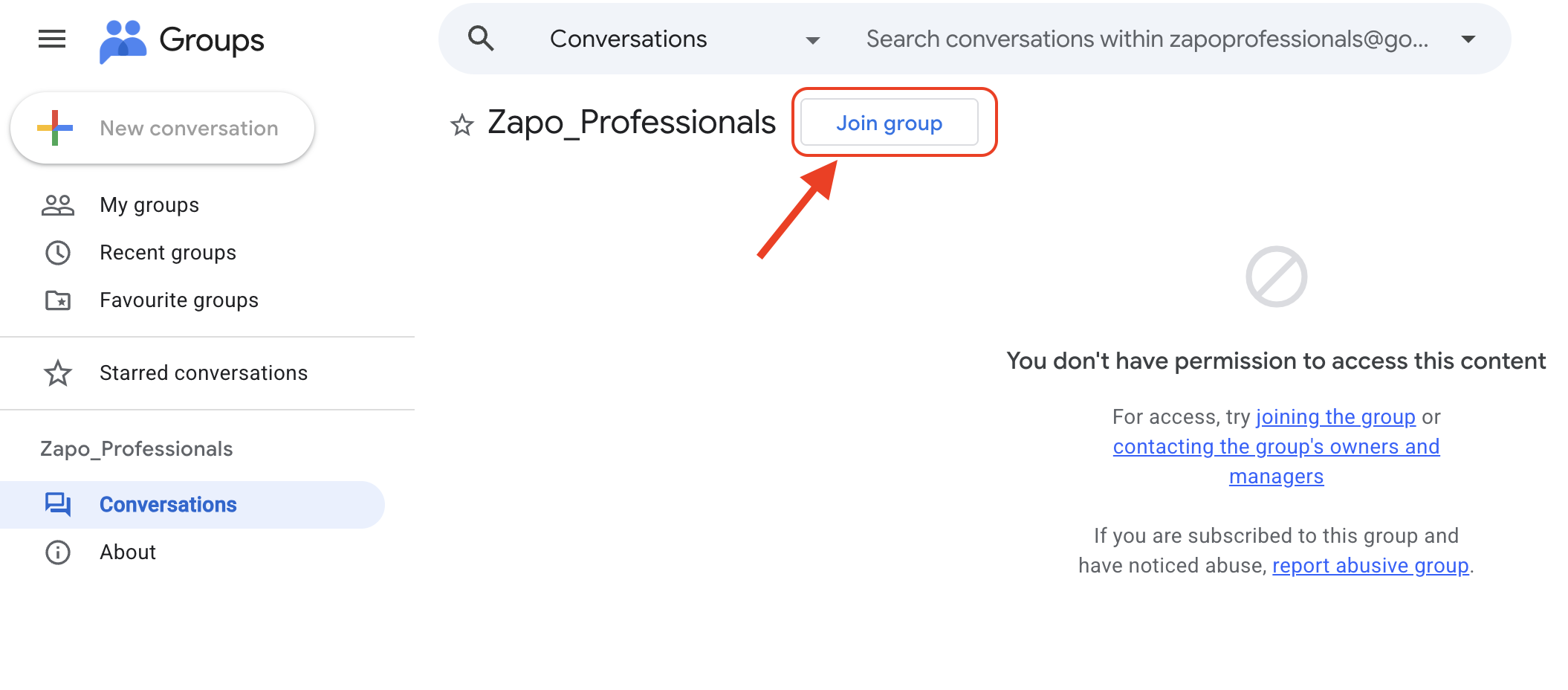
Click on "Join group"
Ensure you are signed into your Google account. Once the page opens, locate and click the Join group button as highlighted in the image below.
3
Download Your App
Now that you are a member of the group, you have full permission to download the apps! Choose the app you need below:
Zapo Customer App
For booking services & posting part-time jobs.
Zapo Worker App
For technicians to build profiles & accept jobs.